








About MapTap
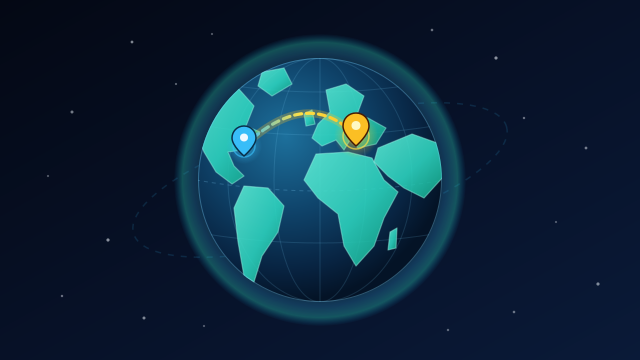
MapTap transforms classic pin-drop geography into a silky-smooth, zero-lag 3D interactive globe built directly in pure HTML5 Canvas. Spin the shimmering planet with one finger or mouse drag, zoom in on intricate coastlines and island archipelagos, and tap as close as possible to 96 curated world cities, capitals, and natural wonders.
Unlike flat 2D map quizzes that distort Greenland, Antarctica, and high-latitude distances, MapTap renders genuine orthographic 3D curvature and measures every tap with true Haversine great-circle math. Land within 25 km of the target coordinates to score a flawless 1,000 points, then watch an animated golden geodesic arc fly from your marker to the exact spot alongside a crisp geographic fun fact.
Play today's 5-location Daily 5 challenge to see how close you can get to a 5,000-point Explorer rating, or flip straight to Unlimited mode for endless randomized expeditions spanning six continents—from Reykjavik, Cusco, and Marrakech to Kyoto, Auckland, and Kathmandu.
With Instant Tap or Confirm Pin mode, WASD/arrow key globe rotation, pinch-to-zoom support, and persistent closest-pin tracking, MapTap delivers instant desktop and mobile geography mastery without waiting on external map tiles.
Enjoying the mechanics in MapTap? Explore Daily Orbs for daily Geography, Science, Words, and Trivia orb streaks, Krillion Unlimited for obscure capitals, world rivers, and volcano trivia, or jump straight into Huedle for another crisp daily + unlimited visual perception puzzle.
How to Play MapTap & Controls
- 1Read the prompted city or landmark name and region clue at the top of the HUD.
- 2Click-and-drag (or swipe on touchscreens) to spin the 3D globe toward the right continent, and zoom in with the scroll wheel or + / - buttons.
- 3Tap cleanly on the globe surface to drop your pin and measure the exact Haversine distance in kilometers and miles.
- 4Review the glowing geodesic arc and geographic fact, then click Next Round across all 5 targets to earn up to 5,000 points.
MapTap Tips, Tricks & Strategy
- Use the dashed Equator and Tropics reference lines to judge whether a city like Nairobi, Quito, or Singapore sits north or south of zero latitude.
- Zoom to 2.5x–3.2x before tapping packed European or Southeast Asian coastlines—shaving 150 km off your guess is worth hundreds of extra points!
- Toggle Confirm Mode in the top bar when playing on a small phone screen so you can inspect your placed pin before locking it in.
- Anchor tricky capitals against distinctive peninsulas, straits, and inland seas (like the Red Sea, Black Sea, or Sea of Japan).